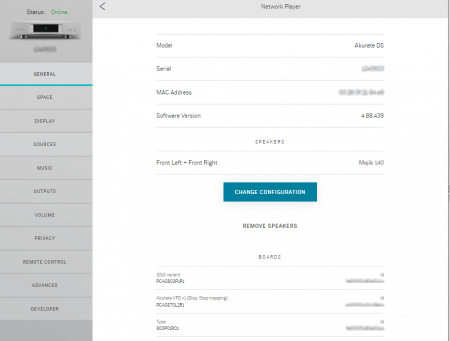
To get the details of your Linn DS/DSM Model name, Serial number, MAC Address, Software version (also known as Firmware) & BOARDS. (These are the circuit boards and their identification numbers.)
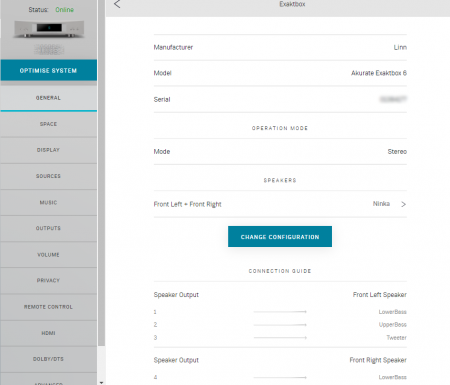
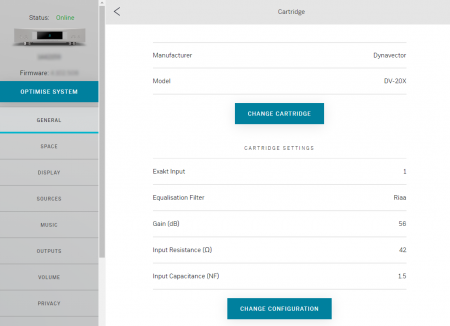
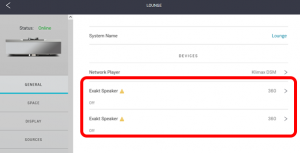
This will also show any Exakt products, (Loudspeakers, ExaktBoxes and Phono stage - Urika-II are connected to this Linn DS/DSM)
Hit the > button to change the configuration
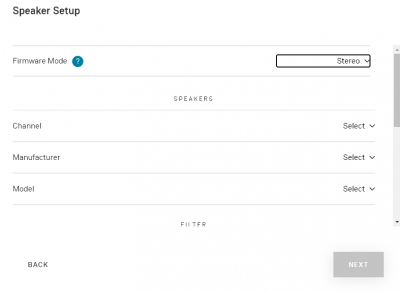
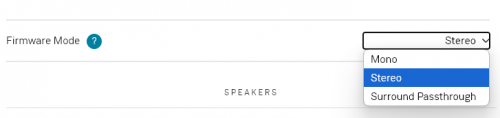
If you are using a Selekt DSM you can select what the cartridges will be used for
Stereo: Stereo if more than one cartridge then this for the Exakt crossover
Stereo Passthrough: If the cartridges are used for Bi-Amping or Tri-Amping
Surround Passthrough: To configure the cartridges for 5.1 surround, (or 7.1 with additional Exakt products)
Note
You may have to bring the Linn DSM out of Standby to change configuration.
Check the Standby option further down this page. Slide the button LEFT to bring the Linn DS/DSM to turn STANDBY OFF and PRODUCT ON
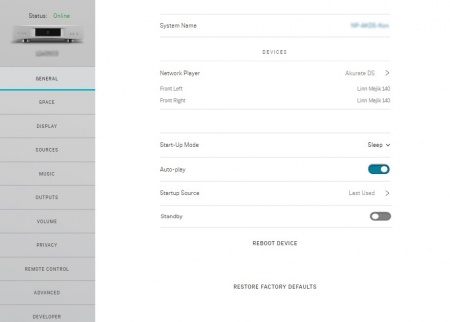
START-UP MODE
A number of different settings can be applied to customise the way your device starts up
Start-Up Mode
Sleep: Default setting, when mains power is first applied, you Linn DS/DSM will power up in Sleep mod e(aka standby).
Active: power up straight into playback mode. Using the last source used, or the source defined in Startup source.
Auto-play
Normally, you must press play to start playing audio after selecting a source, using the IR handset.
Change this setting to On to make your device play audio immediately when a source is selected (only relevant to Playlist, Radio, and Songcast controlled by IR handset.)
Startup Source
Normally, your device will start up on the last source you were listening to.
You can change this setting to make sure the device starts up on a specific source instead
Bluetooth
If applicable to your Linn DSM, this will allow your Linn DSM to receive Bluetooth audio. This can be from your phone, Alexa etc
Note
It will have paired with your Bluetooth device first. Check your product page in this wiki for more information
Type: This defines if this is Standard or, for example, Binged type of speaker
Version:
The filters depend on the loudspeaker development. (Exakt design has evolved over the years and these options allow you to decide what version of filter you want to use check Exakt_filters
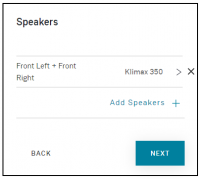
In Surround Passthrough mode, it will then ask you if you want to add more loudspeakers for more Surround channels
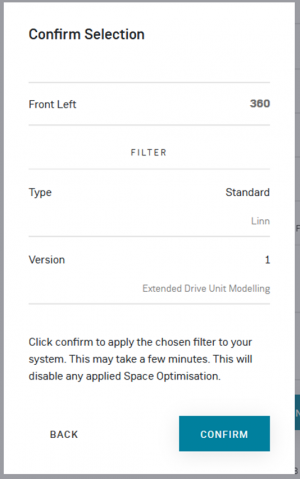
Confirmation Selection
This is to confirm your configuration and include any wiring diagrams before programming the system
The > X allows you to delete these channels from the configuration.
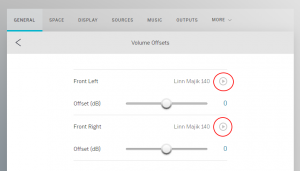
Test Tones/Volume Offsets
This allows you to trim the channels. Hit the Play button against each channel (marked in RED) and adjust the channel trim level.
Setting up Exakt loudspeakers for first time
To set up Exakt speaker(s) :
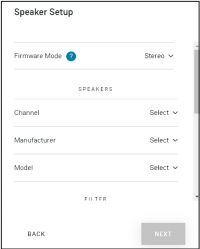
On initial set up, the Exakt speakers will not be assigned a channel or filter to use
Setup Exakt Speaker
In this case, it is stating that your Exakt loudspeaker will need to be configured for operation:
Select Channel
Assign this Exakt speaker to Front Left/Front Right/Centre/........
Selekt Filter Version & type
The filters depend on the loudspeaker development. (Exakt design has evolved over the years and these options allow you to decide what version of filter you want to use check Exakt_filters