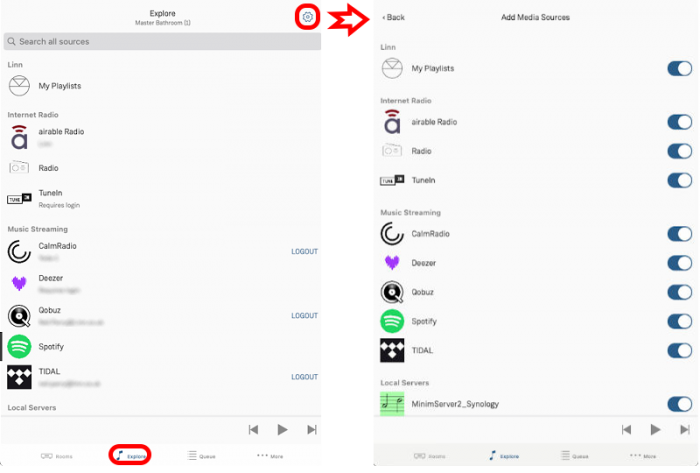
LinnApp Explore Settings
- Linn App Explore settings
- 1. In the
 tab, tap the
  settings icon
 - 2. Tap the source you would like to enable/disable.
- Note: On enabling some sources will ask for your username and password. These can also be entered in the Explore page.
- 1. In the