Difference between revisions of "Template:Manage Systems:HelpAndSupport"
m |
m |
||
| (One intermediate revision by the same user not shown) | |||
| Line 17: | Line 17: | ||
|- | |- | ||
|} | |} | ||
| − | + | <br> | |
| + | You will then be prompted with these pop-up pages<br> | ||
{| border="0" cellspacing = "0" cellpadding = "2" style="text-align: left;" | {| border="0" cellspacing = "0" cellpadding = "2" style="text-align: left;" | ||
|- | |- | ||
| width="60%" align="right" | | | width="60%" align="right" | | ||
| + | <br><br> | ||
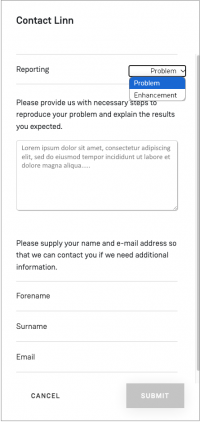
Select report a problem or enhancement: | Select report a problem or enhancement: | ||
<br><br><br><br><br><br> | <br><br><br><br><br><br> | ||
| Line 26: | Line 28: | ||
For problems: details of the issue you are having and how this can be replicated.<br> | For problems: details of the issue you are having and how this can be replicated.<br> | ||
For an enhancement, please add in as much detail as possible. | For an enhancement, please add in as much detail as possible. | ||
| − | |||
| − | |||
<br><br><br><br> | <br><br><br><br> | ||
| − | | width="40%" align="left" rowspan="20"|[[image:MS-ContactLinn.P1.png|link=| | + | Fill in your forename, surname and email address to allow the Linn Helpline to reply to you. |
| + | <br><br><br><br> | ||
| + | | width="40%" align="left" rowspan="20"|[[image:MS-ContactLinn.P1.png|link=|200px]] | ||
| + | |- | ||
| + | |} | ||
| + | <br><br> | ||
| + | |||
| + | {| border="0" cellspacing = "0" cellpadding = "2" style="text-align: left;" | ||
| + | |- | ||
| + | | width="40%" align="right" rowspan="20" | [[image:MS-ContactLinn.P2.png|link=|500px|centre]] | ||
| + | | width="60%" align="left" | | ||
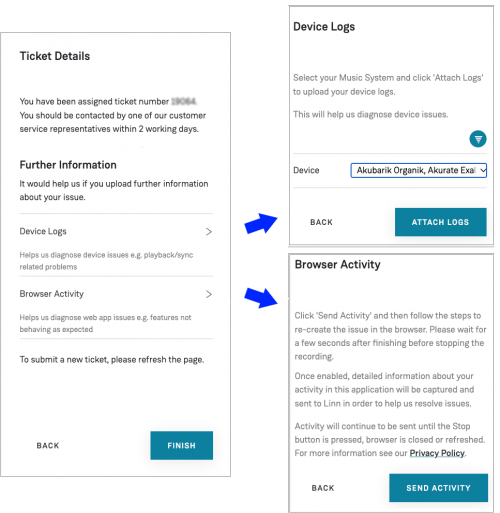
| + | In the <B>Device Logs</b> window: <br> | ||
| + | A DS will need to be manually picked from the list to specify which logs to attach. | ||
| + | (Filter options are available here, same as the music systems list.) | ||
| + | These logs, if taken quickly at the time of the issue, can pass a record of what is happening within the product. | ||
| + | <br><br><br> | ||
| + | In the <B>Bowser Activity</b> window: <br> | ||
| + | This will record any subsequent actions, within Manage Systems. | ||
| + | This will show the Linn personel the issue you are having on screen. | ||
|- | |- | ||
|} | |} | ||
| − | |||
Latest revision as of 13:56, 17 March 2025
- This section gives you a linked to the Linn Customer Helpline and also allows you to create "Tickets", with real-time product information for product trouble and support.
|
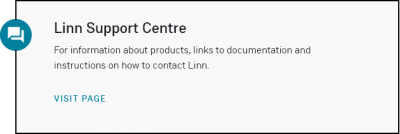
Click on this page, and it will take you to the Linn webpage with contact details for the Linn Helpline |
|
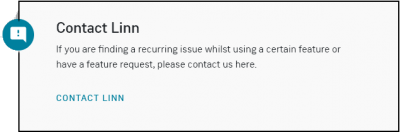
For Problems, or Enhancements, click on the Contact Linn |
You will then be prompted with these pop-up pages
|
|
|
 |
In the Device Logs window:
In the Bowser Activity window: |
