Using the Linn DS/DSM product
Controlling your Linn DS/DSM using and infrared handset
To control your Linn DS/DSM you can you the infra-red handset supplied with product as well as the Linn App, Kazoo. This can be downloaded & installed
The infra-red handset supplied has;-
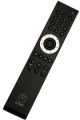
* Volume control, Mute
* Input control with PIN selection
* Radio station selection using the handset joystick,
* Playlist navigation using the handset joystick,
* Transport control (Play, Stop, Pause, Skip & Search) &
* Music information.
The Technical Specifications of the IR handset can be found HERE
Control of the Linn DS/DSM using a PC/MAC/Tablets & Phones
Initial installation
- Linn App
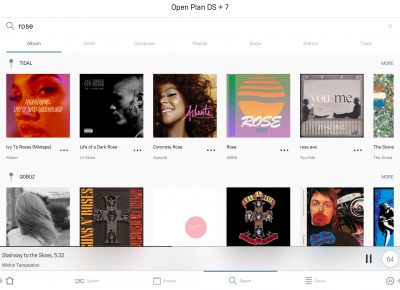
Linn DS/DSM is best controlled using the Linn mobile app

or

Using the Linn DS/DSM control software
These manuals should only be used as a basic guide for what the buttons can do. We would recommend just using the App/Software and only using the guide if you are having difficulty or want to see what more features are available.
These guides may show some features that are not available, or not have not been configured to work in your system. If you're required additional information, then please contact your Retailer or Linn Support Site
- iPad / iPhone / Android Linn App