TroubleShooting:Selekt DSM
Jump to navigation
Jump to search
Selekt DSM does not produce any sound from the cartridge(s)
Check Selekt configuration
- If this is a fresh installation or you have added/changed an Selekt cartridge configuration the check:
- DAC Modules:You have NOT using fitted BOTH Organik DACs AND Katalyst or Standard DAC's. The Selekt cartridges can ONLY be:
- ALL Organik DACs or
- A mixture of Katalyst or Standard DAC's
- A mixture of Organik DACs AND Katalyst or Standard DAC's will produce NO sound and give a front panel warning of Configuration error.
- If you have the Organik DACs these MUST run in the order of Slot1>Slot2>Slot3. E.g. If you are only used Slot2 & Slot3 this may cause no audio.
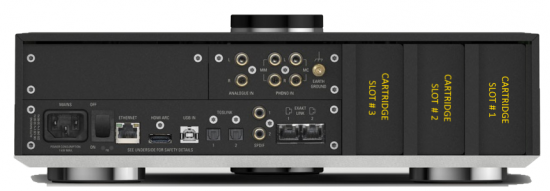
- * Cartridge(s) must be fitted on the order;
- Slot#1 the first cartridge,
- Slot#2 for the second cartridge, if required and
- Slot#3 for the third cartridge, if required.
- If you have the correct orientation of DAC's and cartridge position (see above), try the Restore Procedure...
Selekt DSM Recovery from No Audio
Restore Procedure
Using Manage Systems
- 1. Check that your Selekt DSM is powered on and connected to a network with internet access.
- 2. In Manage Systems, select your DSM and go into the GENERAL tab.
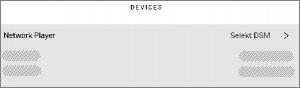
- a) Click on "Selekt DSM" text to go into the configuration box,
- b) Scroll down to the bottom of the Network player page and
- click on the " RESTORE SPEAKER FACTORY DEFAULTS text
- c) After a few moments, a pop-up box will appear, click on the RESTORE
- An status box will appear at the bottom of the screen, giving you the status of the upgrade.
- a) Click on "Selekt DSM" text to go into the configuration box,
- 3. When it's finished:
- a) Power cycle the Selekt DSM
- b) Set up the speaker info and see if normal operation has returned.
- c) If not, please contact Linn Helpline.